10 minutes read
Project Problem
Many small businesses and vendors in Ghana struggle to track sales consistently due to a lack of accessible digital tools. Traditional pen-and-paper methods are inefficient, and most accounting software is too complex or expensive. Yumova solves this by offering a simple, intuitive app for real-time sales recording and instant performance insights.
Simple Sales Process
Collaboration Amongst Teams and individuals
Reports and team Perfomance
Solution
Consolidating Sales Input and Management Process
Yumova is a mobile-first sales recording and analytics platform for business owners and sales teams. The app lets users quickly record sales in real-time and access daily, monthly, and yearly insights to improve performance and strategy.
Research & insights
Consolidating Sales Input and Management Process
Yumova is a mobile-first sales recording and analytics platform for business owners and sales teams. The app lets users quickly record sales in real-time and access daily, monthly, and yearly insights to improve performance and strategy.
Research & Insights
Qualitative Research
I interviewed 4 people who work within the working space of the target audience to understand their challenges and difficulties they come across to successfully complete their tasks and observed their process for better understanding.
Interview Insights
Users need to record transactions in under 10 seconds
Traditional input methods slow them down, especially in the field.
Many find existing tools overwhelming and need a more digestible dashboard.
Sales performance data is often reviewed only at the end of the month, making it hard to adjust in real-time

Target Audience
The app was targeted to some selected group of people to better aid the design and ensure a user-friendly platform.
AGE GROUP
26 -58 yrs
WORK SPACE
B2B (Business to Business)
B2C(Business to Customer)
LOCATION
Metro Cities
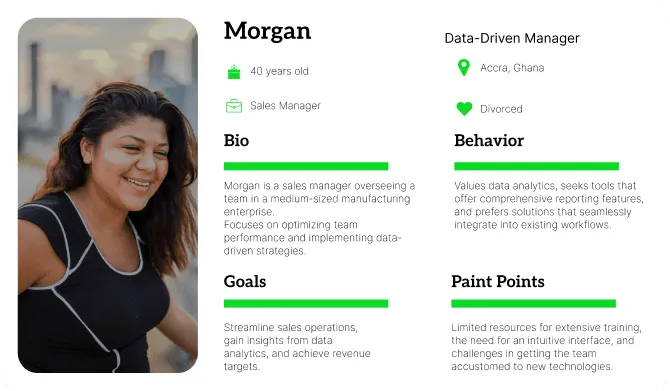
Personas
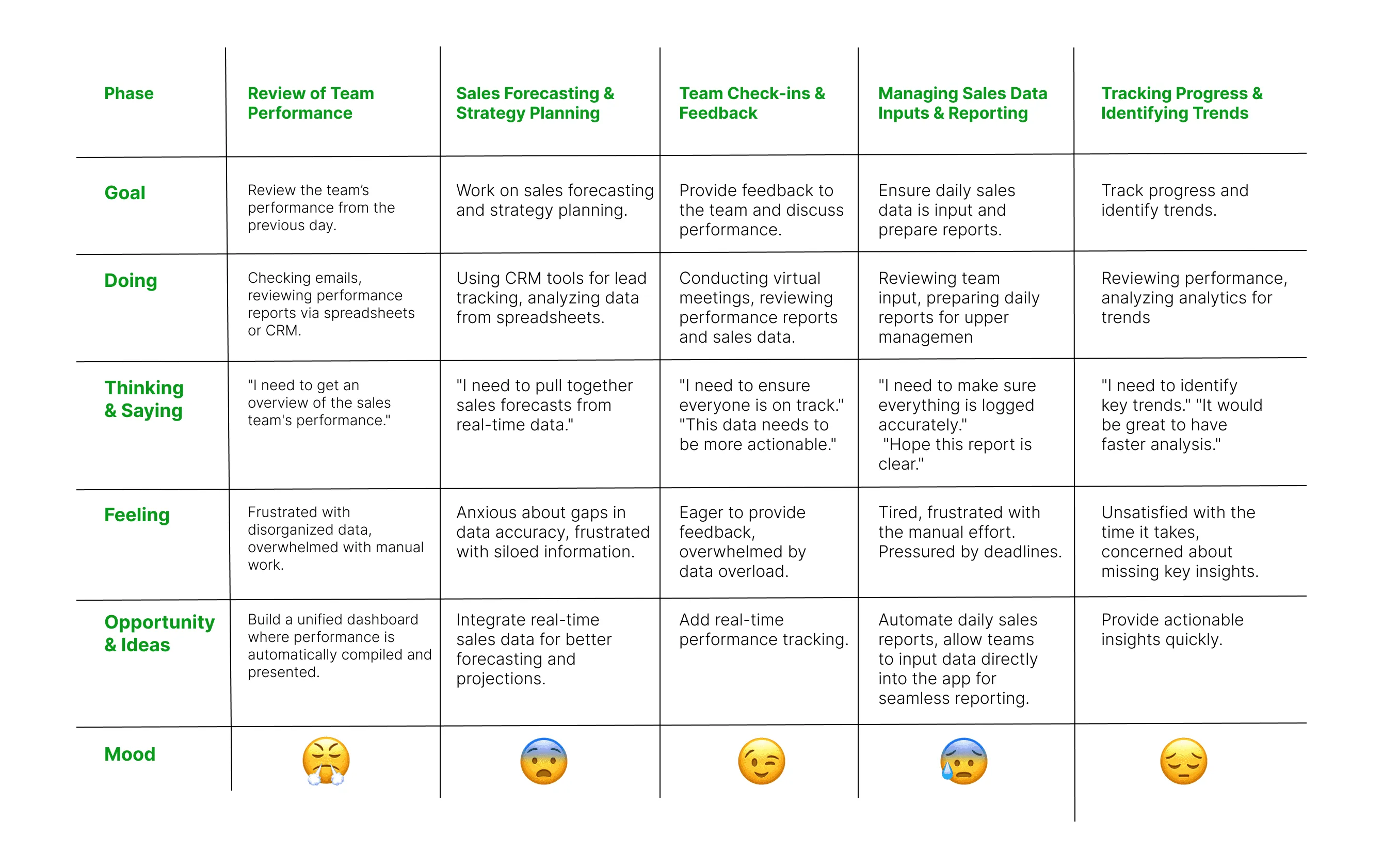
Journey Map
We had users perform their daily tasks with their traditional tools to understand their frustrations and how improvements can be made to help them achieve their goals and perform their daily more accurately and under less time which was a basic frustration to them the users.in
User Flow
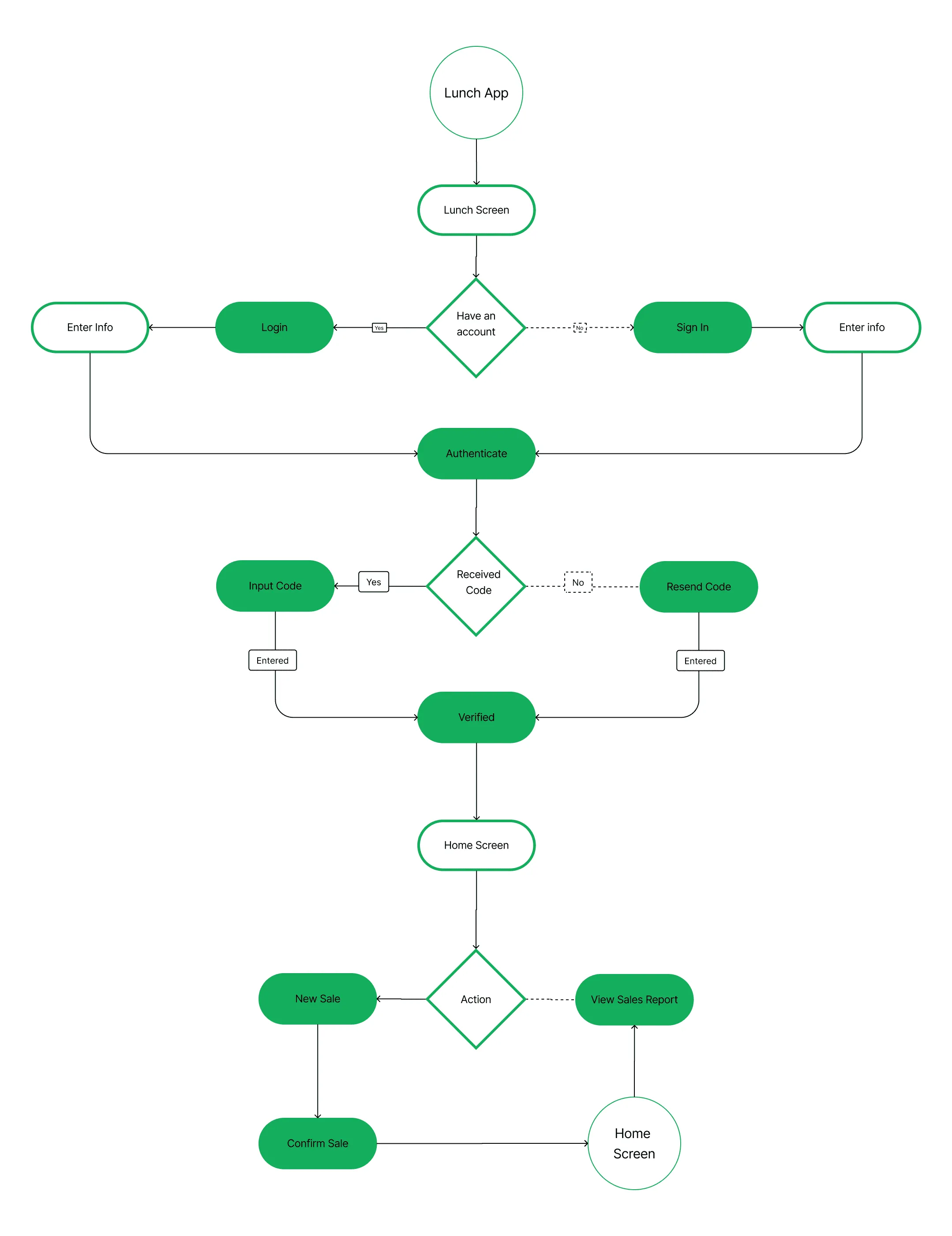
User-friendly flow
I came up with a straightforward user flow that minimizes the time required for users to either sign up or log in to the app. Once in, users are directed to a home screen where all functions are clearly labelled, making it easy for them to find and input their real-time sales, which will automatically update daily, monthly, and yearly totals. These figures can also be easily adjusted and corrected as needed.
Information Architecture
Seemless app flow
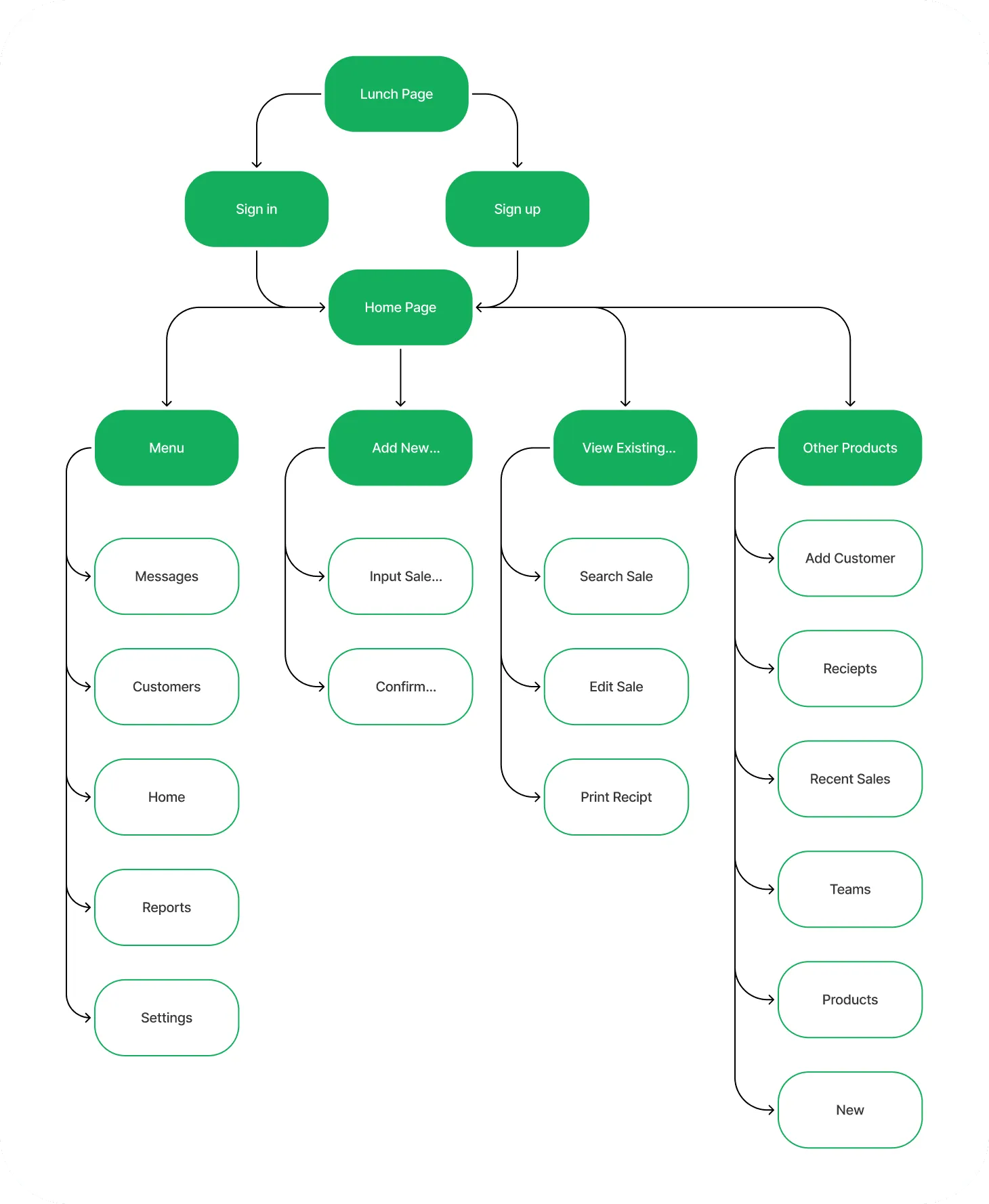
The app’s structure was designed for quick access to core actions—recording sales and viewing insights. The navigation is minimal, with three primary sections: Dashboard (for real-time and historical insights), Record Sale (for quick entry), and Profile/Settings. The hierarchy prioritizes speed, reducing the number of taps needed for frequent tasks, and ensures users can find key information like daily totals, top items, and trends without confusion.
Colors and Typography
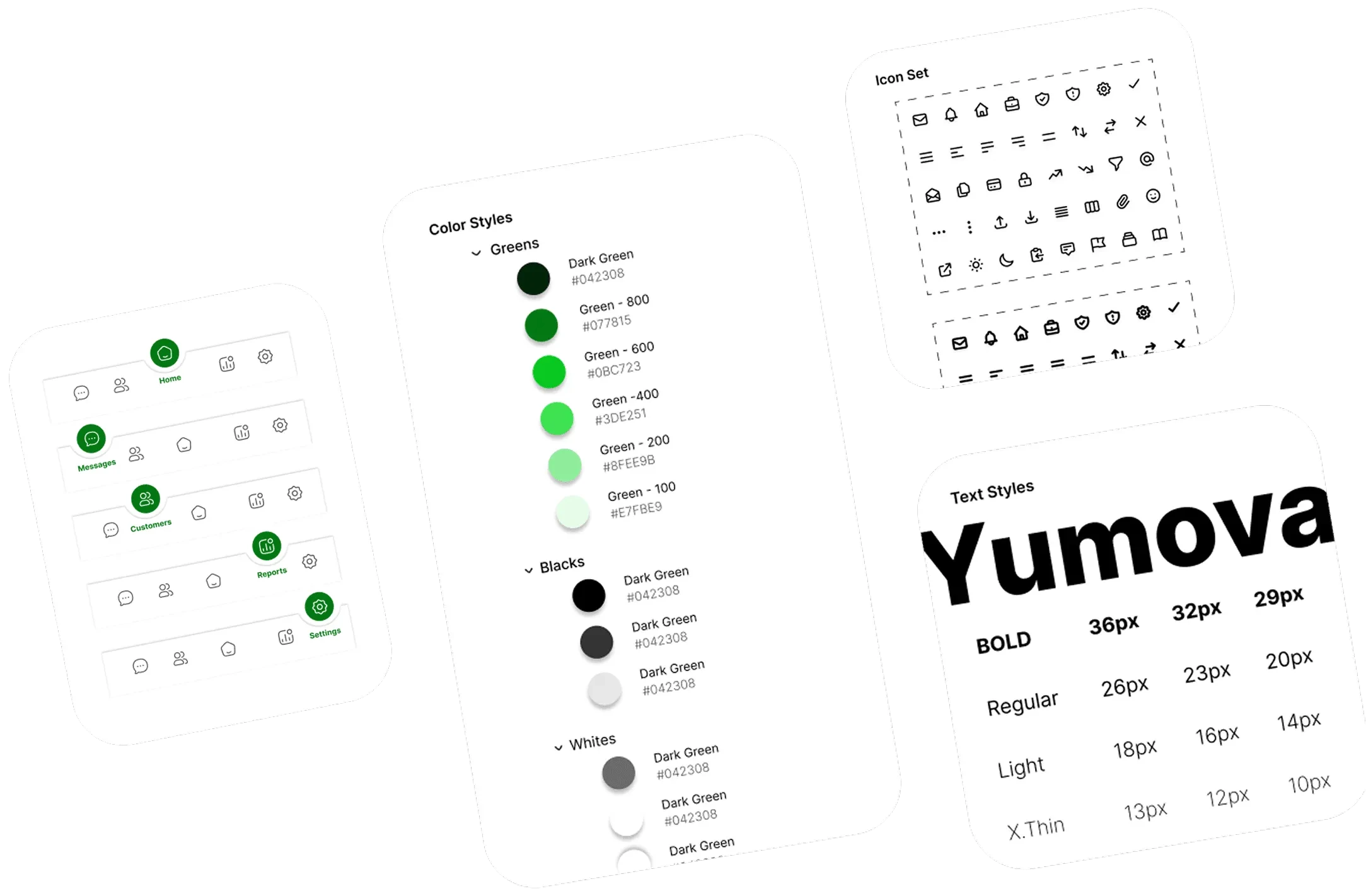
Yumova’s visual identity was designed to feel clean, trustworthy, and data-focused. I chose a green and white color palette to evoke growth, clarity, and simplicity—qualities aligned with the app’s purpose of helping users track and improve sales.
For typography, I used the Inter typeface for its readability, modern appearance, and versatility across sizes and weights. Icons were sourced from Hugeicons, offering a consistent, minimal look that enhances usability without overwhelming the interface.
Screens
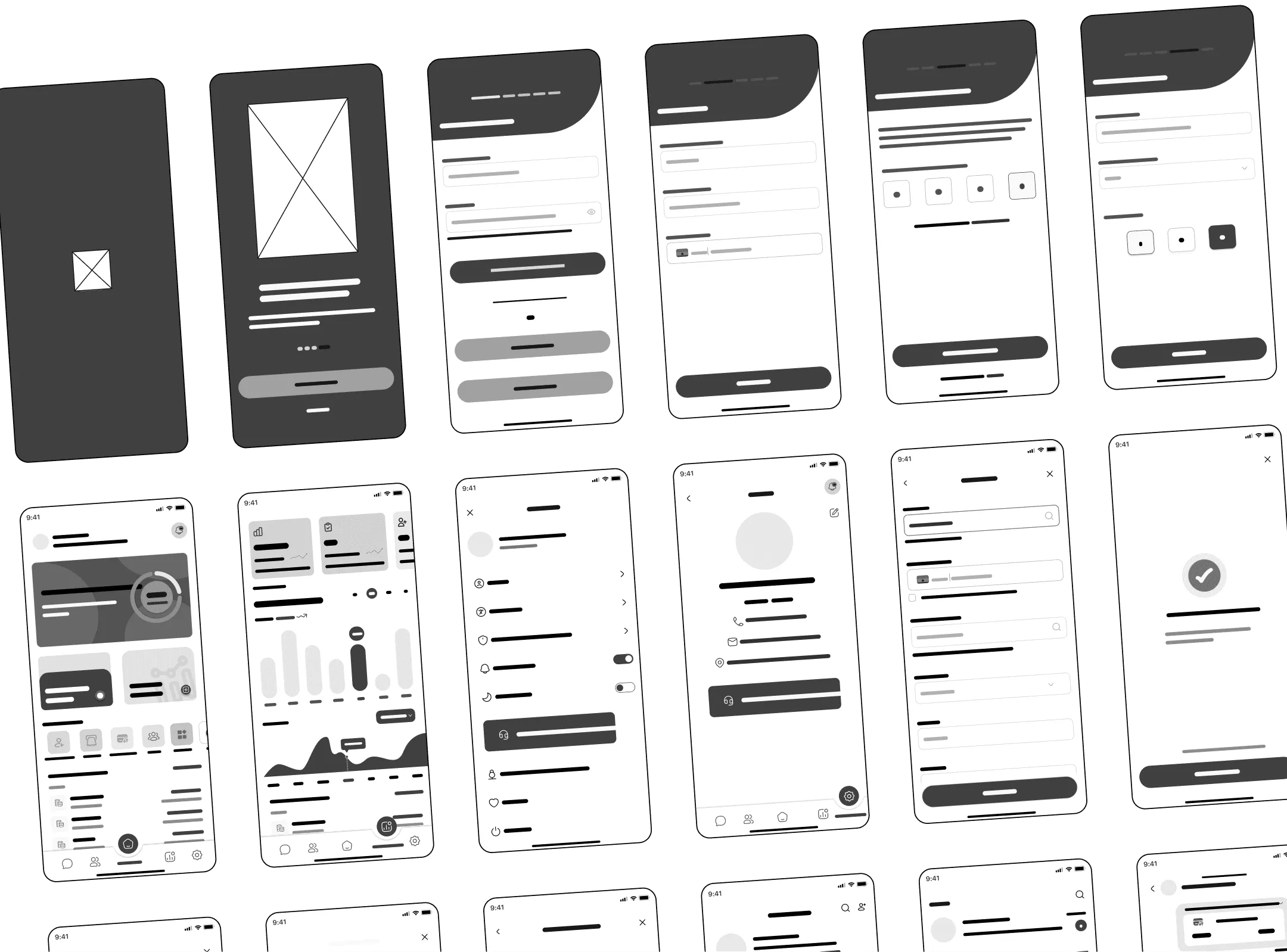
Sign up and Log in Page
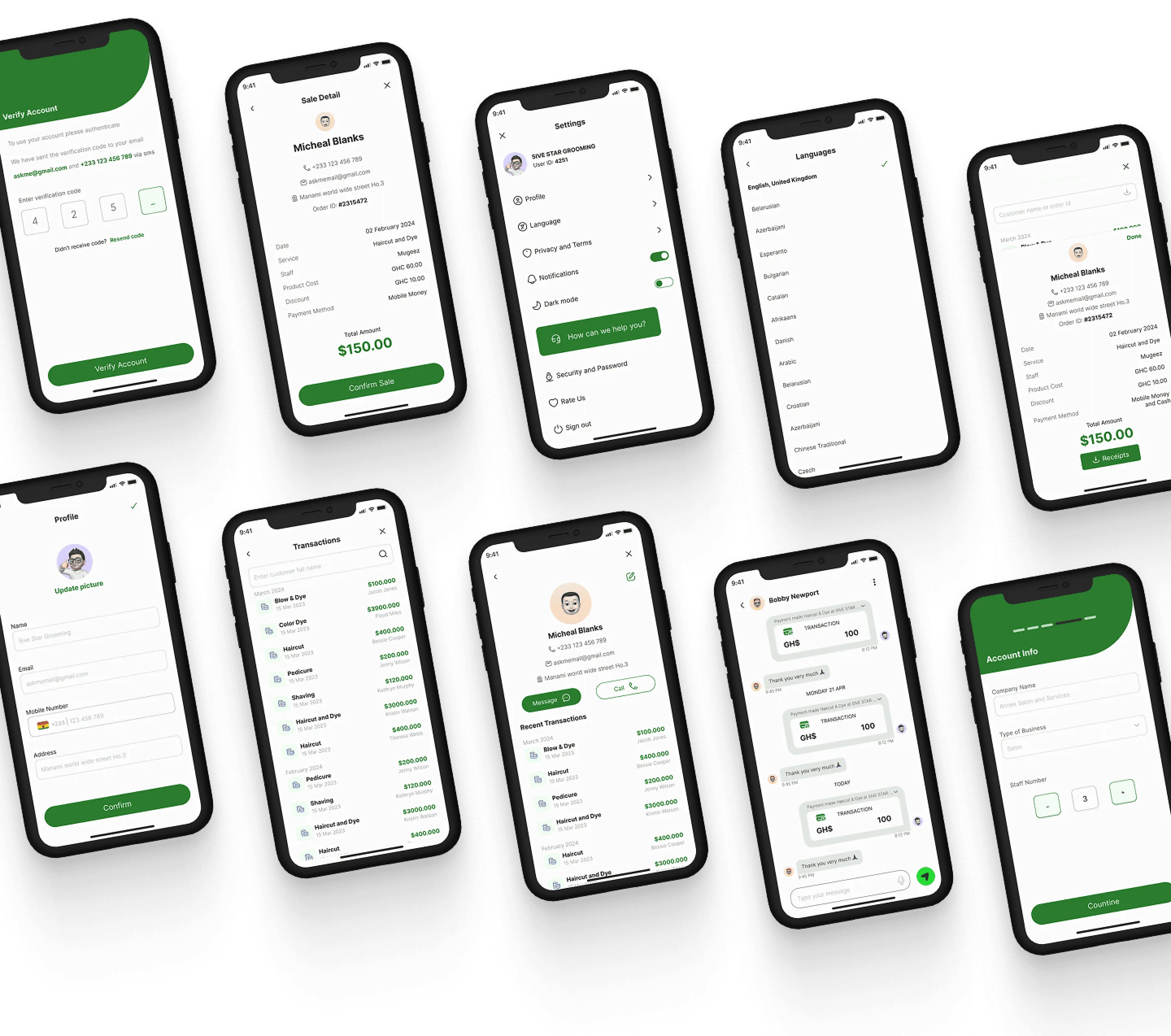
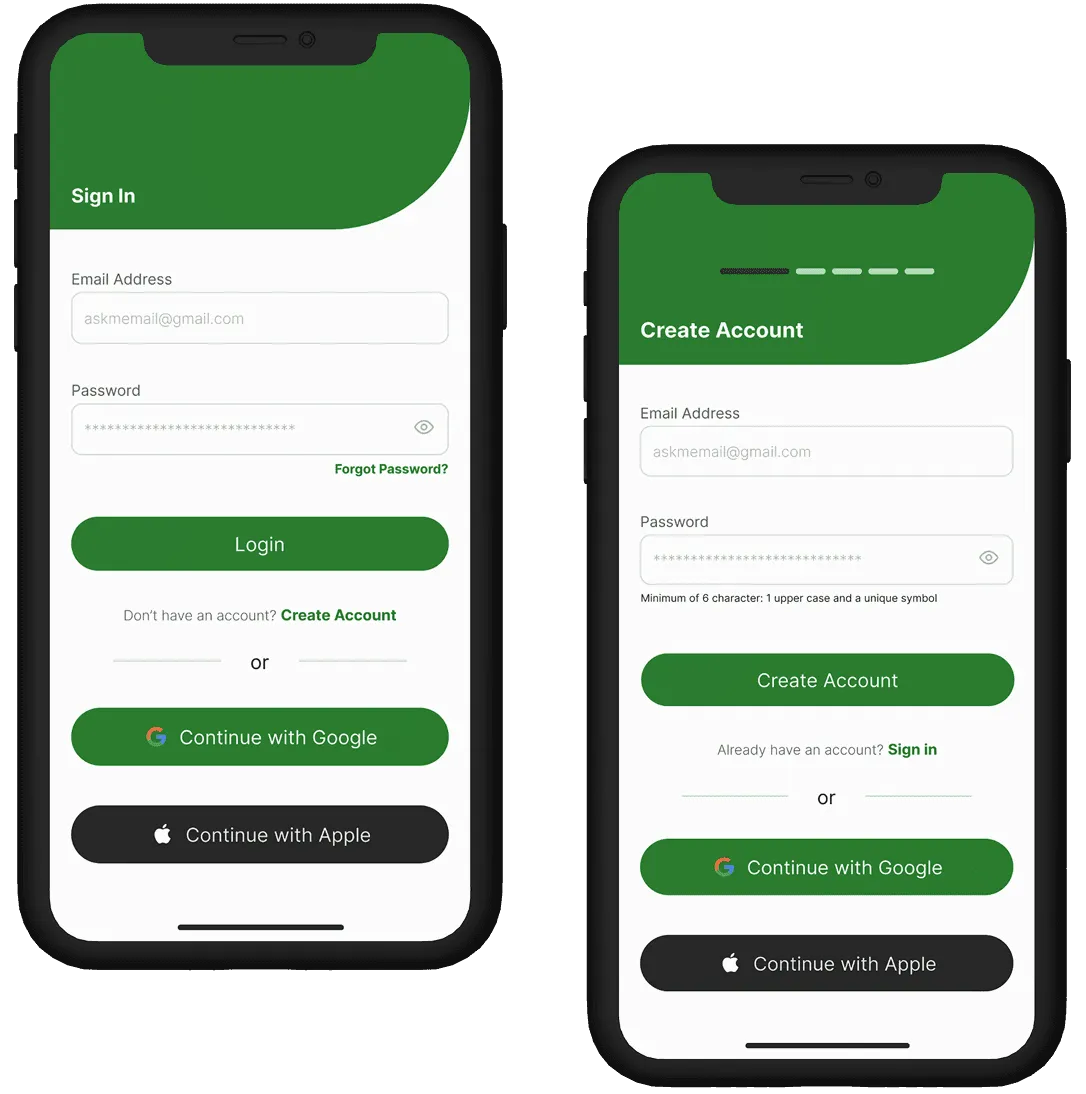
Allows users to either sign up or log in and also additional features of using users' pre-existing platforms like Gmail and Apple accounts to have an account on the platform
Home Screen and Insights Screen
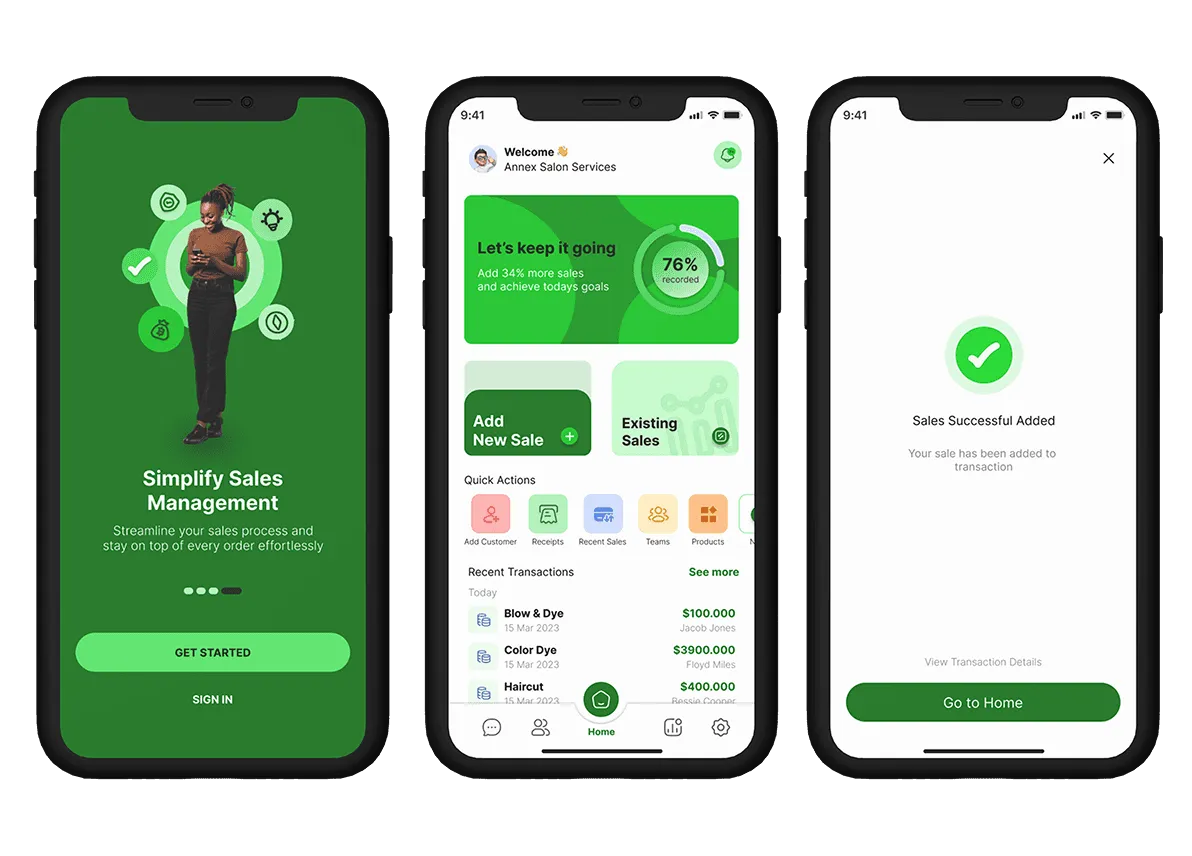
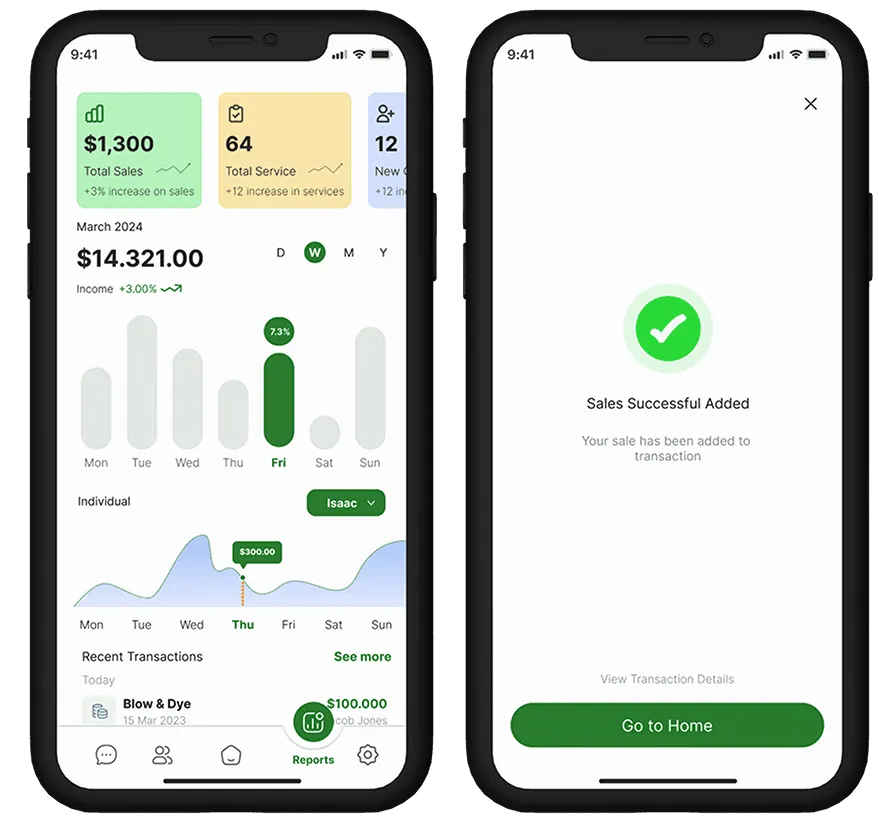
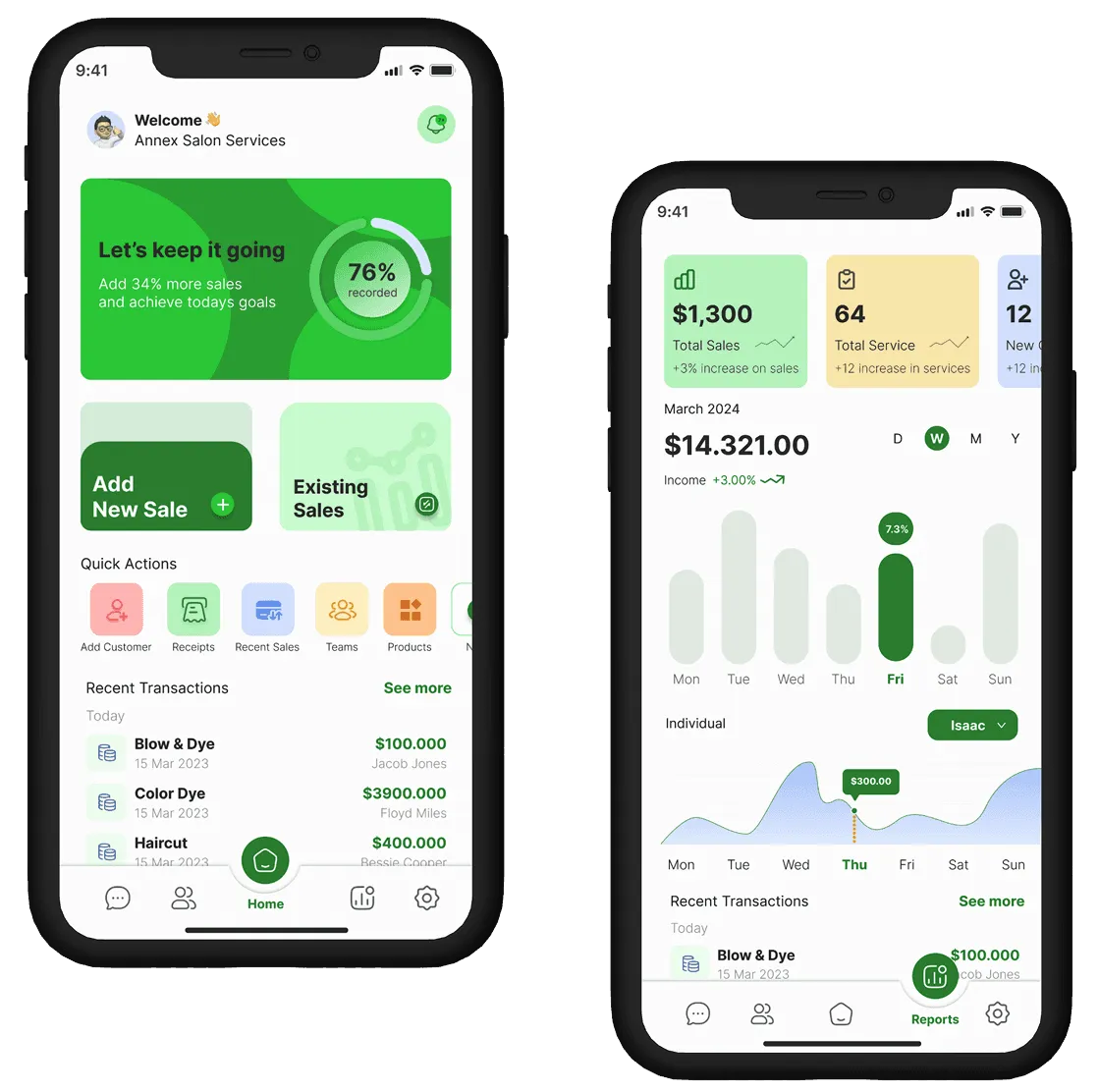
The home screen features a bold motivational action to get users to their daily goals which leads to adding new sales also has other features which allow users to perform other tasks. The Insights page gives the user an opportunity to view insights with charts and switch from daily to weekly to yearly sales inputted and the performance of team members to have a simple but effective way to view key performances of individuals and sales.
Add New Sale Screen
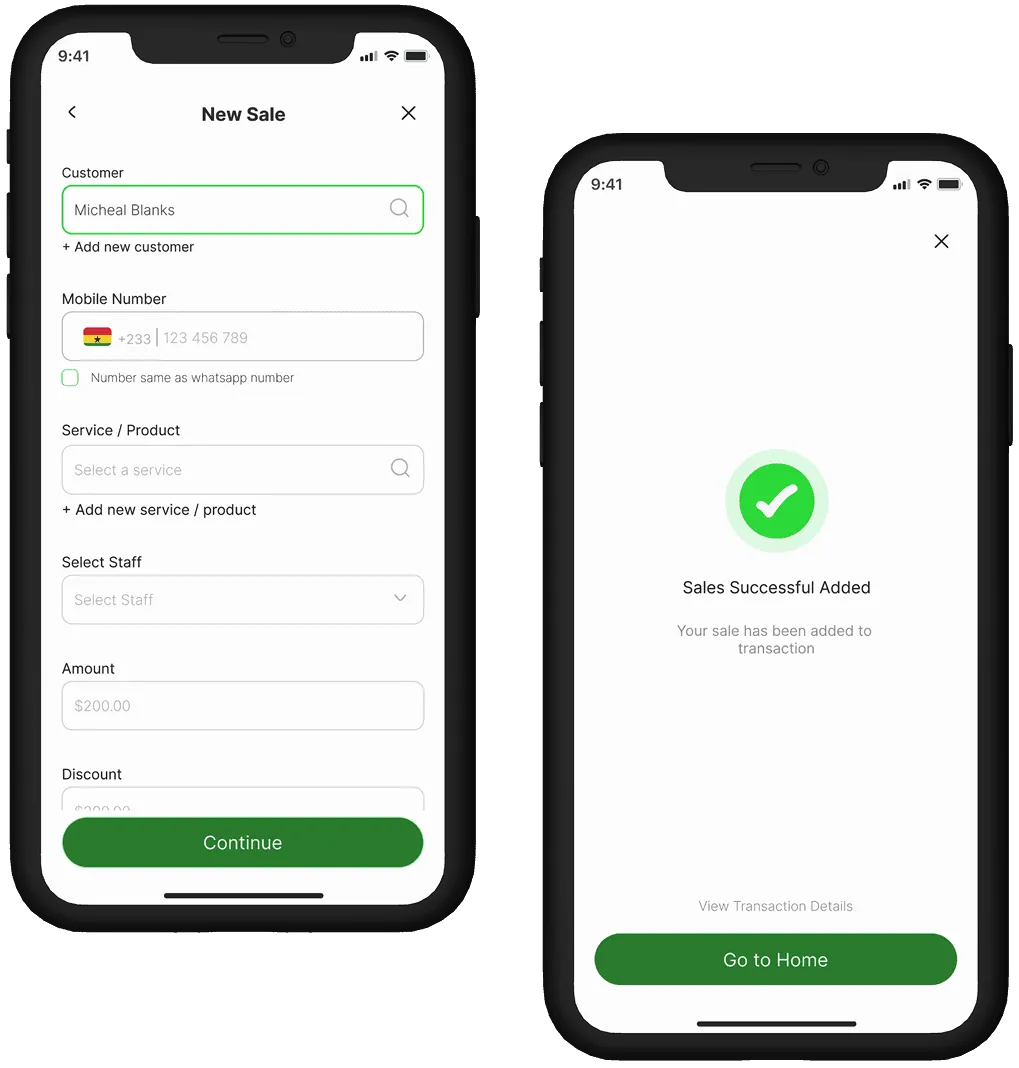
The New Sales screen was designed for speed and efficiency—allowing users to record a complete sale in under a minute. The form captures four key inputs: customer information, service provided, mode of payment, and payment status.
The layout uses smart defaults, predictive text for repeat entries, and clear input fields to minimize friction. Once the sale is submitted, the user is seamlessly directed to a Receipt screen, confirming the transaction. The sale is then automatically added to the day’s sales summary and reflected in the real-time dashboard.
Settings and Profile Screen
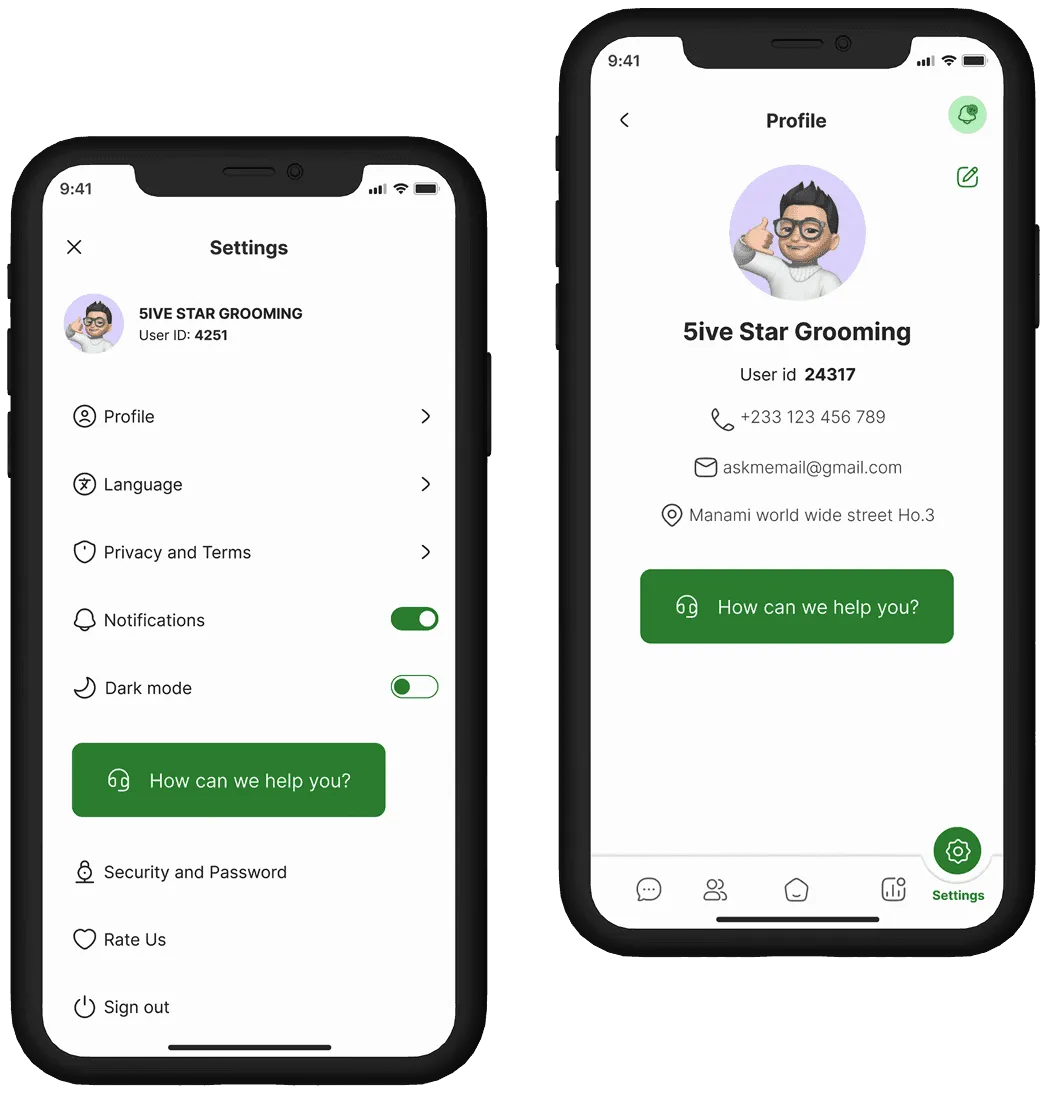
Users have the flexibility of choosing how they want the app to look specifically was made to give them a sense of ownership of the very app on their devices. The profile screen also shows information about the user for others to see more about the business the user is into.
Chats and Customer Screen
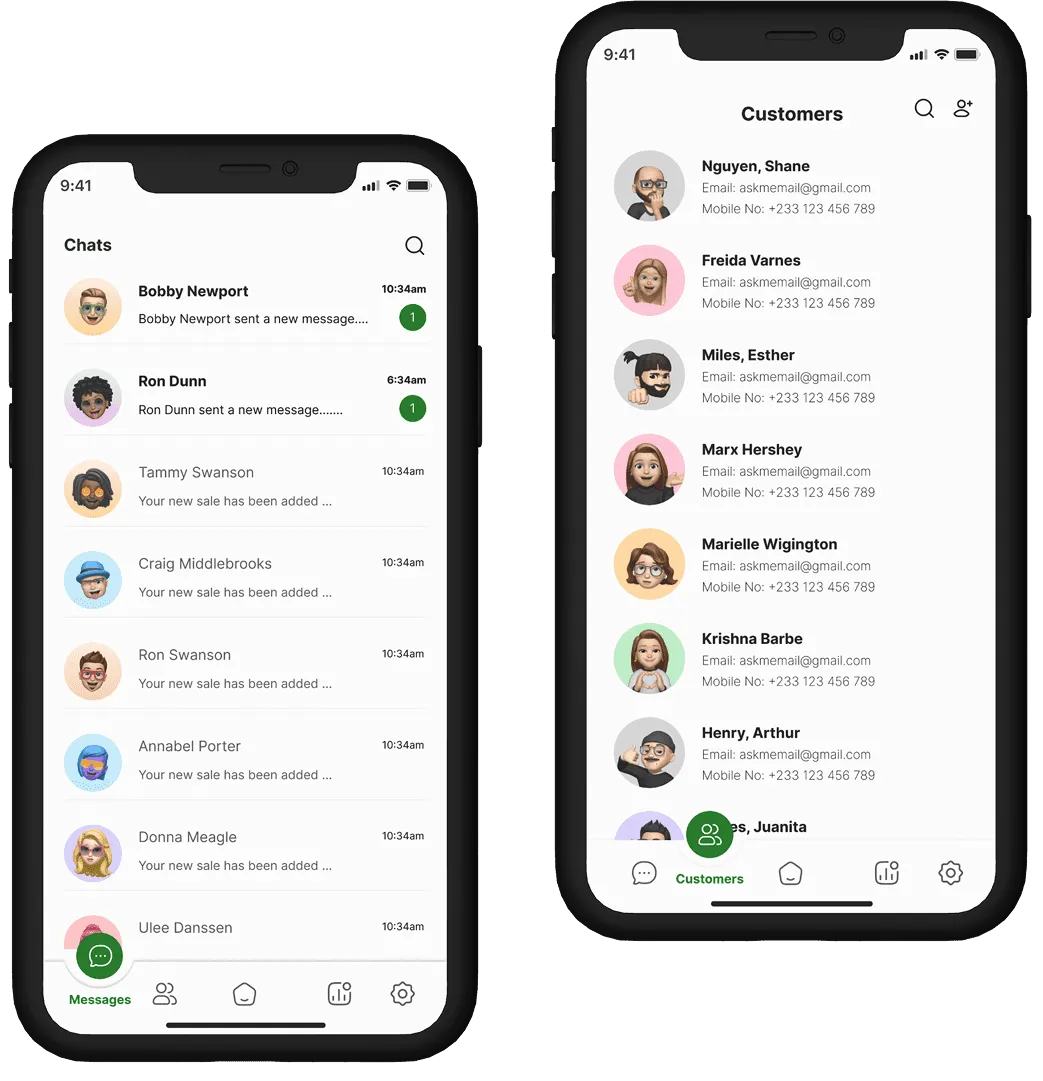
Another key added feature is for the user to communicate in-app with every individual they have introduced to their business. This is a way of communicating in the app to improve the sending of receipts and seasonal greetings to the customers.
Other screens